Template:Tag
Sarna News
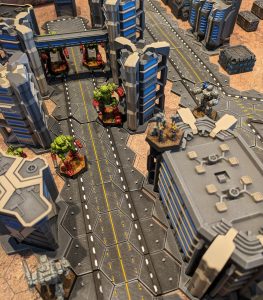
- HEXTECH Review - Wave 3 Brings More Urban Options To Your Battlefield
- Your BattleTech News Round-Up For March, 2024
- Crashing 'Mechs With Jennifer Brozek, Author Of The Rogue Academy Trilogy
- Getting The Word Out With Rem Alternis, Catalyst Community & Marketing Director
- Bad 'Mechs - Yeoman
- Read more →


<tag>...</tag>
 Template documentation
{{tag|tagname [|type] [|content=text] [|attribs=attributes and values]}}
A markup tag is an open < and a close > angle brackets and the content within them, in a markup language, as XML or HTML:
- For example, the <title> tag provides a title for the Web page.
This template provides a quick way to mention a markup-style tag in a preformatted way. Mainly used in discussion/help pages.
Parameters[edit]
Required parameters shown in bold italics.
|1=(tagname above)- The XML/HTML tag's name (e.g. code, ref).
|2=(type above)- To indicate which of the tag's types is/are presented:
p(pair) (default)- A matching pair of open/start and close/end tags (e.g.
<div>...</div>).
To suppress the ellipsis ("...") between the tags, add an empty|content=parameter (for example,<div></div>). o(open)- An open/start tag (e.g.
<span>). c(close)- A close/end tag (e.g.
</span>). e(empty) ors(single) orv(void)- An empty element, formed with a single self-terminating tag (e.g.
<hr />); in HTML5 these are now known as "void" elements, though "empty" is the more common term.
|content=- Text to place between open/start and close/end tags.
|attribs=- Attributes and values to be included as part of an open/start tag (this parameter can also be called
|params=). |wrap=yes- Disable nowrap for long samples, so allowing wraps (line breaks).
|link=yes- Link to the element's entry at the HTML element Wikipedia article, e.g.:
{{Tag|del|link=y}}
produces:
<del>...</del>
This is only for HTML elements; the page is hard-coded, so it cannot be used for, e.g., XML elements from a particular schema. If desired, a feature for specifying the link page can be added.
Examples[edit]
| Markup | Renders as |
|---|---|
{{tag|ref}}
|
|
{{tag|ref|content=}}
|
|
{{tag|ref|content=hello}}
|
|
{{tag|span|content=foo}}
|
|
{{tag|span|open}}
|
|
{{tag|span|open|content=hello}}
|
|
{{tag|span|close|content=hello}}
|
|
{{tag|span|pair|content=hello}}
|
|
{{tag|ref|open|attribs=group="note"}}
|
|
{{tag|references|single}}
|
|
{{tag|br|single}}
|
|
{{tag|!--|content=comment}}
|
|
{{tag|a
 |attribs=href="<nowiki>https://sarna.net/</nowiki>
 |content=BattleTechWiki}}
|
|
See also[edit]
- Wikipedia's page on HTML tag
- {{XMLElement}}
- {{xtag}} adds a MediaWiki parser or extension tag that links to the extension page.
- #tag:, the parser function that generates working tags.